

What would happen if someone tried to hack your application today? Would it stand strong or start leaking data within seconds?
Most apps are more exposed than their creators realize. Not because developers are careless, but because security testing is often overlooked or delayed until it’s too late. That’s where DAST comes in.
DAST, or Dynamic Application Security Testing, helps you discover vulnerabilities in your application while it’s actually running. It mimics how a real attacker would probe your system, showing you exactly where your defenses are weak.
If you’re serious about protecting user data, meeting compliance requirements, and avoiding downtime, DAST should already be part of your workflow. Here’s why.
Table of Contents
A Clearer Look at DAST
DAST stands for Dynamic Application Security Testing. It’s a type of security testing that focuses on live applications—ones that are already deployed or at least fully functional in a test environment.
Unlike other types of testing that look at code or configuration files, DAST interacts with your app from the outside. It doesn’t need access to source code or internal architecture. Instead, it behaves like a real attacker, sending inputs to your app and analyzing how it responds.
If the application reacts in ways that expose data, allow unauthorized access, or behave insecurely, DAST flags those behaviors as potential threats.
This approach is particularly useful because it’s based on actual behavior, not assumptions or hypothetical scenarios. You’re seeing what could go wrong in practice, not just in theory.
How DAST Actually Works
DAST tools start by mapping out your application’s surface area. They scan for pages, entry points, forms, and features that can be interacted with. Once the app is mapped, the testing phase begins.
They send different types of input—some standard, others malicious—to see how the app handles them. It might try to submit scripts, bypass authentication, or manipulate URLs to see if anything breaks or exposes information.
While this is happening, the tool monitors your application’s responses, checking for signs of vulnerability. These could be error messages, unexpected redirects, or data exposure that indicate the system didn’t properly sanitize or validate input.
All of this happens while the app is running, which makes the results highly relevant to real-world scenarios.
Why It’s Becoming Essential
Application development has changed dramatically in recent years. Modern apps are no longer simple, self-contained systems. They’re made up of APIs, cloud services, and third-party integrations that increase complexity and, by extension, the risk of security issues.
This makes traditional code-only testing methods insufficient. You need a way to test the system as a whole, under conditions that mirror how users—and attackers—interact with it.
DAST fills that gap. It doesn’t care what language the app is built in or what framework is running underneath. It tests the outcome. That means even if the underlying code looks perfect, DAST might catch configuration issues, runtime behaviors, or interactions between components that create unintended vulnerabilities.
The other factor pushing DAST forward is speed. Development teams are shipping faster than ever. Waiting until a manual security review can be scheduled isn’t realistic anymore. DAST allows automated, repeatable scans that can be triggered during development cycles without slowing teams down.
Real-World Issues DAST Can Find
DAST is especially good at catching vulnerabilities that only show up when the app is live and accepting input from users. Here are a few examples of what it commonly detects:
- SQL injection – Where attackers input malicious queries that the app mistakenly runs against the database.
- Cross-site scripting (XSS) – When untrusted scripts can be injected into web pages and affect other users.
- Authentication issues – Such as login pages that don’t properly verify user credentials or fail to lock out after repeated attempts.
- Sensitive data exposure – Where responses leak information that should remain private or internal.
- Improper redirects – When the app allows users to be redirected to malicious or unexpected URLs.
- Unvalidated inputs – Such as forms that accept and process harmful user input without checks.
These are some of the most exploited flaws in active attacks. They don’t always show up in code reviews or static scans, which is why behavioral testing is so critical.
The Right Time to Use It
One of the advantages of DAST is its flexibility. Because it works on running applications, it can be used at several stages of development. Ideally, you’ll begin using it once your app has a working front end and functional user flows—even if it’s just in a test or QA environment.
Some teams run DAST scans nightly. Others tie them directly into their deployment pipelines so that every build is checked for vulnerabilities before it goes live.
You don’t need to wait for a major release or milestone to use it. In fact, regular smaller scans often catch issues early, when they’re much easier and cheaper to fix.
What DAST Doesn’t Do (And Why That Matters)
DAST is powerful, but it isn’t a complete security solution on its own. It doesn’t look at your source code, so it won’t catch deep architectural problems or logic errors that only appear in the codebase. It also won’t cover systems that are hidden behind authentication layers unless configured to do so.
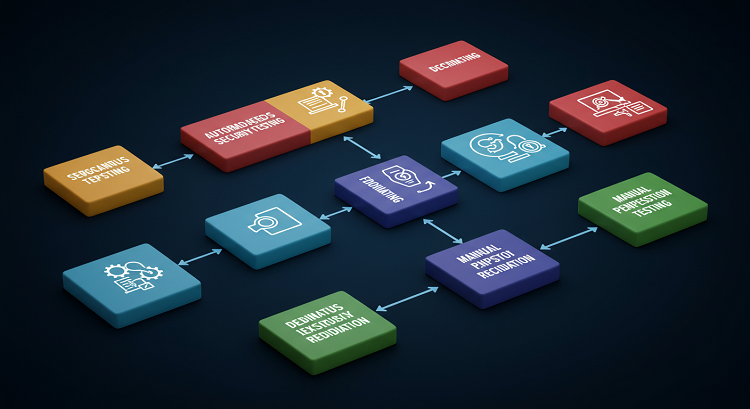
That’s why most security strategies combine DAST with other types of testing, including:
- Static Application Security Testing (SAST) – Analyzes source code for known patterns and insecure coding practices.
- Manual penetration testing – Uses human expertise to spot complex flaws that tools might miss.
DAST should be seen as one part of a larger picture. Its strength is in behavioral, real-time insight—what your app actually does under pressure—not just how it looks in theory.
So, Does Your App Really Need DAST?
If your application is handling data, connecting with users, processing payments, or linking to any external system, the answer is yes. You absolutely need DAST.
Waiting until a breach occurs is no longer an option. The cost of data leaks, brand damage, and compliance failures can cripple a business. What’s more, many modern security standards now expect ongoing testing of live systems. DAST helps meet those expectations and gives you a level of confidence that static tools alone can’t offer.
Security is never one-and-done. It’s a process. DAST is one of the few tools that keeps pace with how fast that process moves today.
Your Move: Secure It Before Someone Else Exploits It
The truth is, most applications aren’t nearly as secure as their developers think. Not because of bad intentions, but because no one tested them the way a real attacker would.
DAST does exactly that. It doesn’t guess. It tests. And if there’s a weakness, it will find it.
If you care about keeping your app secure, protecting your users, and avoiding late-night breach responses, DAST belongs in your toolkit. Not later. Now.